昨晚一直覺得上網整個變得卡頓卡頓,查了一下一直有 CN 大量 IP 連入 3wa 爬資料
也不是說不讓看,只是大量網段一直連
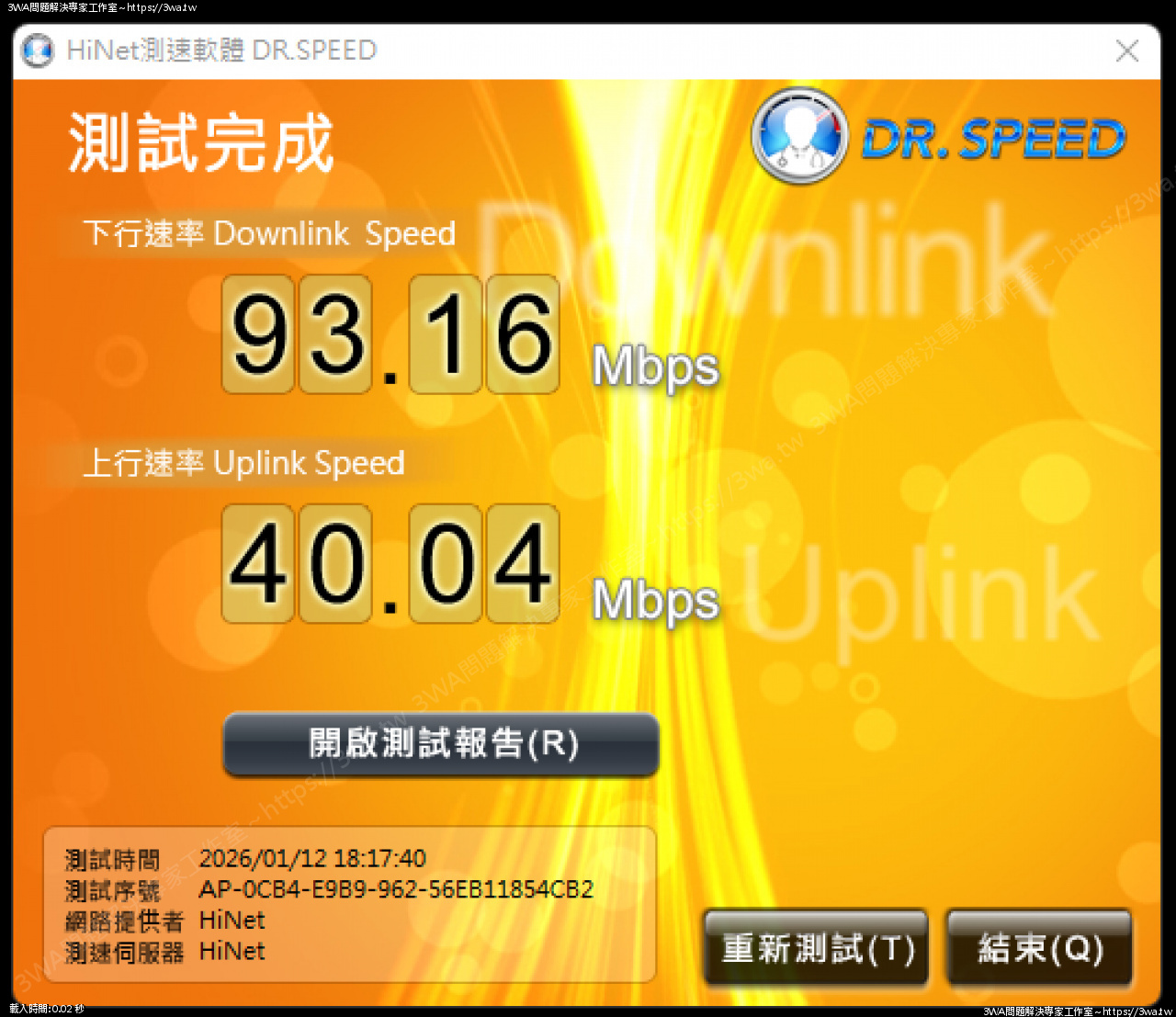
把 40M 上傳打到剩 10M 上傳,上網也從 10ms 內的反應速度變成 30~50ms 有時還會爆高
目前針對 apache2 來訪 log 採最近 5min 紀錄,可以列出哪些 ip 連入,並用 whois 查詢該國家
列近期來訪 ip + 國家
root@3wa:~/bin# cat apache2_now_country.sh
#!/bin/bash
awk -v d="$(date -d '5 minutes ago' '+%d/%b/%Y:%H:%M')" '$4 > "["d {print $1}' /var/log/apache2/access.log \
| sort | uniq -c | sort -nr | head -20 \
| while read count ip; do
c=$(whois "$ip" | awk '/country:/ {print $2; exit}')
printf "%5s %-15s %s\n" "$count" "$ip" "$c"
done
(base) root@3wa:~/bin# apache2_now_country.sh
133 127.0.0.1
64 101.9.98.173 TW
60 101.10.78.214 TW
50 211.20.175.247 TW
45 59.126.75.42 TW
42 54.83.109.89
26 111.246.117.37 TW
9 40.77.167.16
8 40.77.167.158
7 52.167.144.166
7 40.77.167.18
7 163.29.1.136 TW
7 123.252.104.14 TW
5 66.249.71.35
5 66.249.71.33
5 114.119.141.133 SG
4 66.249.66.35
4 66.249.66.14
3 66.249.71.173
3 66.249.66.202
root@3wa:~/bin# cat apache2_now_country_v2.sh
#!/bin/bash
awk -v d="$(date -d '5 minutes ago' '+%d/%b/%Y:%H:%M')" '$4 > "["d {print $1}' /var/log/apache2/access.log \
| sort | uniq -c | sort -nr | head -20 \
| while read count ip; do
whois "$ip" | awk -v c="$count" -v ip="$ip" '
BEGIN{country=""; org=""}
/country:/ {country=$2}
/Country:/ {country=$2}
/OrgName:/ || /org-name:/ || /descr:/ || /Organization:/ {
if (org=="") org=$0
}
END{
if (country=="") {
if (org ~ /Google/) country="US"
else if (org ~ /Amazon/) country="US"
else if (org ~ /Cloudflare/) country="US"
else if (org ~ /Microsoft/) country="US"
else if (org ~ /Alibaba/) country="CN"
else if (org ~ /Tencent/) country="CN"
else country="??"
}
printf "%5s %-15s %-3s %s\n", c, ip, country, org
}
'
done
(base) root@3wa:~/bin# apache2_now_country_v2.sh
182 216.73.216.173 US Organization: Amazon.com, Inc. (AMAZO-4)
181 127.0.0.1 US Organization: Internet Assigned Numbers Authority (IANA)
134 203.69.234.175 TW descr: Data Communication Business Group,
35 111.243.76.122 TW descr: Data Communication Business Group,
18 111.246.117.37 TW descr: Data Communication Business Group,
12 66.249.71.33 US Organization: Google LLC (GOGL)
12 59.126.75.42 TW descr: Data Communication Business Group,
10 211.20.175.247 TW descr: Data Communication Business Group,
7 66.249.71.173 US Organization: Google LLC (GOGL)
7 40.77.178.50 US Organization: Microsoft Corporation (MSFT)
6 66.249.66.204 US Organization: Google LLC (GOGL)
6 66.249.66.12 US Organization: Google LLC (GOGL)
6 114.119.158.74 SG descr: Huawei-Cloud-SG
5 66.249.71.162 US Organization: Google LLC (GOGL)
5 66.249.66.3 US Organization: Google LLC (GOGL)
5 66.249.66.167 US Organization: Google LLC (GOGL)
5 114.119.138.36 SG descr: Huawei-Cloud-SG
4 66.249.71.35 US Organization: Google LLC (GOGL)
4 66.249.66.161 US Organization: Google LLC (GOGL)
3 66.249.71.7 US Organization: Google LLC (GOGL)
如果連線數異常高又加上是 CN 與 HK 跟 SG 羽山基本上就會阻斷了
$banIPs = [
'59.35.',
'59.39.',
'59.33.',
'59.32.',
'59.126',
'121.13.',
'121.12.',
'121.11.',
'121.10.',
'61.146.', // 61.146.3.105 / 61.146.24.152
'61.145.',
'61.144.',
'61.143.',
'61.142.',
'61.141.',
'219.136.',
'219.135.',
'219.134.',
'219.133.',
'219.132.',
'219.131.',
'219.130.',
'219.129.',
'219.128.',
'8.217.', // 香港
'218.',
'74.7.',
'121.9.',
'121.11',
'14.',
'116.', // 116.16.154.134 來源網段
'59.34.', // 59.34.190.88 / 59.34.159.210 / 59.34.158.159
'59.38.',
'58.63.',
'183.0.', // 183.0.* 出現攻擊來源
'183.1.', // 可視最近 log 補充
'119.',
'113.82.',
'113.100.',
'183.',
'113.',
'125.',
'114.119.13', // 新加坡
'114.119.14' // 新加坡
];
這是目前已擋掉的 IP ,如有誤擋再請與我聯絡
這些 IP 檔掉後,下載與上傳速度就恢復正常,網路可繼續使用
fail2ban 也一起使用
# apt install fail2ban
# systemctl enable fail2ban
# systemctl start fail2ban
# vim /etc/fail2ban/filter.d/apache-abuse.conf
[Definition]
# 這裡抓所有 HTTP 請求行為,主要用來計數 flood / scan
# <HOST> 會被 fail2ban 替換成 IP
failregex = ^<HOST> .* "(GET|POST|HEAD|PUT|DELETE|OPTIONS|TRACE)"
# 如果有想排除的 IP 或 pattern 可以寫在這
ignoreregex =
# vim /etc/fail2ban/jail.d/apache-abuse.conf
[apache-abuse]
enabled = true
port = http,https
filter = apache-abuse
logpath = /var/log/apache2/access.log
maxretry = 300
findtime = 60
bantime = 3600
action = iptables[name=apache-abuse, port="http,https", protocol=tcp]
ignoreip = 127.0.0.1/8 ::1 192.168.0.0/16 211.20.175.0/24
# 載入設定
# fail2ban-client reload
# 查看狀況
# fail2ban-client status apache-abuse
近期從 1/9 以後就有微量的流量攻擊,阻斷後再觀察看看
|